
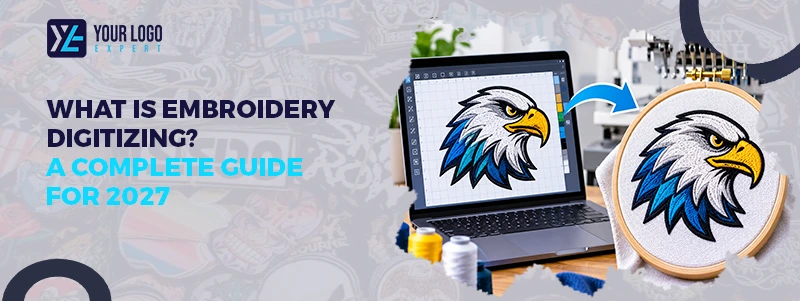
What Is Embroidery Digitizing? A Complete Guide for 2027
Embroidery looks simple on a finished shirt, cap, or jacket. But how does a digital logo turn into real stitches? The answer is embroidery digitizing. Embroidery digitizing is the process of turning artwork into a stitch file that an embroidery machine can read.
It tells the machine where to stitch, which direction to follow, and when to change thread colors. In the next 5 minutes, we will explain how embroidery digitizing works, its main types, benefits, and what to look for in a professional service.
What Is Embroidery Digitizing?
Embroidery digitizing is the process of converting a logo, image, or design into a digital embroidery file. This file contains stitch instructions that guide an embroidery machine. A regular image file, such as JPG or PNG, cannot directly control an embroidery machine. It needs to be converted into a machine-readable format.
A digitizer uses special software to map out the design. They choose stitch types, stitch directions, density, and other settings. These details help the machine sew the design onto fabric. The goal is to create clean, balanced, and well-shaped embroidery that looks good on the final product. If you want clean, machine-ready embroidery designs, consider our custom digitizing service.
Get Your Artwork Ready!
How Does Embroidery Digitizing Work?
Embroidery digitizing involves several steps. Each step plays an important role in the final result.
1. Uploading the Artwork
The process starts with an image or logo. You can provide a JPG, PNG, PDF, or vector file. A clear, high-quality image makes the process easier. However, a professional digitizer can also work with simple or low-quality artwork.
2. Setting the Design Size
The digitizer adjusts the design to match the required size. A logo for a shirt chest may need different settings from a small cap logo. Size matters because tiny details may not look clear when stitched.
3. Choosing Stitch Types
Different parts of a design need different stitch types. The digitizer selects the best option based on the artwork and fabric. If you want sharp, scalable artwork without losing quality, consider our vector art conversion service.
Common stitch types include:
- Satin Stitch: This stitch works well for letters, borders, and narrow shapes. It creates a smooth and slightly raised look.
- Fill Stitch: Fill stitches cover larger areas with thread. They are often used for logos, shapes, and wide design sections.
- Running Stitch: This stitch creates thin lines and small details. It is also useful for outlines and simple designs.
4. Setting Stitch Direction and Density
Stitch direction controls how the thread moves across the fabric. It can change the look and feel of the design. Stitch density refers to how closely the stitches sit together. Too many stitches can make the fabric stiff, while too few can leave gaps. A skilled digitizer balances both settings for better results.
5. Adding Underlay Stitches
Underlay stitches are placed beneath the main stitches. They help support the design and keep the fabric stable. They can also improve coverage and reduce unwanted movement during embroidery.
6. Testing the Design
Before final production, the design should be checked through a digital preview or sample stitch-out. This helps identify issues such as gaps, uneven edges, poor lettering, and thread overlap. Once the design is ready, it can be saved in the correct machine format.
What Are the Different Types of Embroidery Digitizing?
Embroidery digitizing can be used for many types of designs. The right method depends on the artwork, fabric, and final product. If you want to edit and refine your images for a professional look, consider our digital editing services.
Flat Embroidery Digitizing
Flat embroidery is one of the most common types. The design is stitched directly onto the fabric without extra padding. It works well for company logos, uniforms, shirts, jackets, and promotional clothing.
3D Puff Embroidery Digitizing
3D puff embroidery uses foam beneath the stitches to create a raised effect. It is commonly used on baseball caps, hats, and streetwear. The digitizer must adjust stitch settings to cover the foam and create clean edges.
Applique Embroidery Digitizing
Applique digitizing uses pieces of fabric to cover larger design areas. The embroidery machine stitches around the fabric to hold it in place. This method is popular for varsity jackets, team apparel, and large lettering.
Cap Embroidery Digitizing
Cap digitizing is designed for curved and structured surfaces. It requires special attention to stitch direction, placement, and fabric movement. A well-digitized cap logo helps prevent shifting and uneven stitching.
What Are the Common Embroidery File Formats?
Embroidery machines use different file formats. The correct format depends on the machine brand and model. Here are some common formats used in the embroidery industry.
| File Format | Common Use |
| DST | Tajima and many commercial machines |
| PES | Brother and Baby Lock machines |
| EXP | Melco and other embroidery systems |
| JEF | Janome embroidery machines |
| VP3 | Husqvarna Viking and Pfaff machines |
| XXX | Singer embroidery machines |
Not every machine supports every format. Always confirm your machine requirements before ordering a digitized design.
Why Should You Hire a Professional Embroidery Digitizing Service?
You can use embroidery software to create your own files. However, good digitizing takes practice and knowledge of different fabrics, stitches, and machine settings. Hiring a professional service can save time and reduce production problems.
Better Stitch Quality
Professional digitizers understand how different stitch types work. They can adjust the design to produce clean letters, smooth borders, and proper coverage.
Fewer Production Errors
Poor digitizing can cause thread breaks, fabric puckering, gaps, and uneven stitching. A properly prepared file helps reduce these issues.
Saves Time
Creating a quality embroidery file can take time, especially for detailed logos. A professional team can handle the technical work while you focus on your business.
Supports Different Products
Professional digitizing services can prepare files for caps, shirts, jackets, bags, uniforms, and other fabric items.
Helps Control Production Costs
A poorly digitized file may waste thread, fabric, and production time. Good stitch planning can help reduce unnecessary stitches and avoid costly mistakes.
Conclusion
Embroidery digitizing is an important step in turning artwork into quality stitched designs. It helps embroidery machines follow the right stitch paths, use proper thread settings, and produce clean results.
From flat embroidery to 3D puff and applique, each method serves a different purpose. Choosing the right digitizing settings also helps reduce production issues.
If you want clean and professional embroidery, working with an experienced digitizing team can make the process easier. Your Logo Experts offers professional support to help bring your designs to life with quality results and fast turnaround.
Our Services
Get Started
Frequently Asked Questions
It converts artwork into a machine-readable embroidery file.
It guides the machine to create accurate stitches.
Wilcom, Hatch, and Pulse are popular options.
DST is a common embroidery machine file format.
Yes, JPG artwork can be converted into embroidery files.
Satin, fill, and running stitches are the main types.
It creates raised embroidery using foam.
It depends on the design's size and detail.
Yes, different fabrics need different stitch settings.
Yes, but very small text may lose clarity when stitched.
Useful Links
Company Info
- +1 (917) 310-1535
- info@yourlogoexpert.com
- 2501 Chatham Rd STE 4504, Springfield, IL, United States, 62704
Copyright © 2026 Your Logo Expert. All Rights Reserved.
